
Introduction
If you are reading this, you have likely hit a wall with your Flutter project. You open your lib/ folder, and instead of a clean, navigable workspace, you are greeted by a chaotic mess of files. Maybe you have a screens/ folder with 40 files in it, or your API calls are tangled directly inside your widget’s build methods. You are trying to track down a bug, but navigating the codebase feels like untangling a pair of wired headphones.
I have been exactly where you are. In my early days as a Flutter developer, I built apps using whatever structure felt right at the time. It worked for the first 10 screens. But as the app scaled, adding a simple feature took days instead of hours. Changing a database provider meant rewriting half the UI. It was exhausting.
This is a very common issue in real-world Flutter apps. Because Flutter is highly flexible and unopinionated about how you organize your files, developers are left to figure it out themselves. By 2026, the community consensus has solidified: if you want an app to scale, you need a solid flutter clean architecture folder structure.
This article is for intermediate developers who are tired of spaghetti code and want to learn how to structure a flutter project like a senior engineer. I will walk you through the exact feature-first, Clean Architecture folder structure I use in production apps today. By the end of this guide, you will have a clear, actionable blueprint to refactor your app and regain your sanity.
What the Problem Is
The problem usually starts with a “Type-Driven” or “Layer-First” folder structure. When you generate a new Flutter project, you start with an empty lib/ folder. Naturally, developers begin grouping files by their technical type:
lib/models/lib/screens/lib/widgets/lib/services/
As developers experience it in real apps, this structure quickly becomes a nightmare. Imagine you need to update the “User Profile” feature. You have to open lib/models/user_model.dart, then hunt down lib/services/user_api.dart, then find lib/screens/profile_screen.dart, and finally tweak lib/widgets/profile_avatar.dart. Your context is scattered across the entire project.
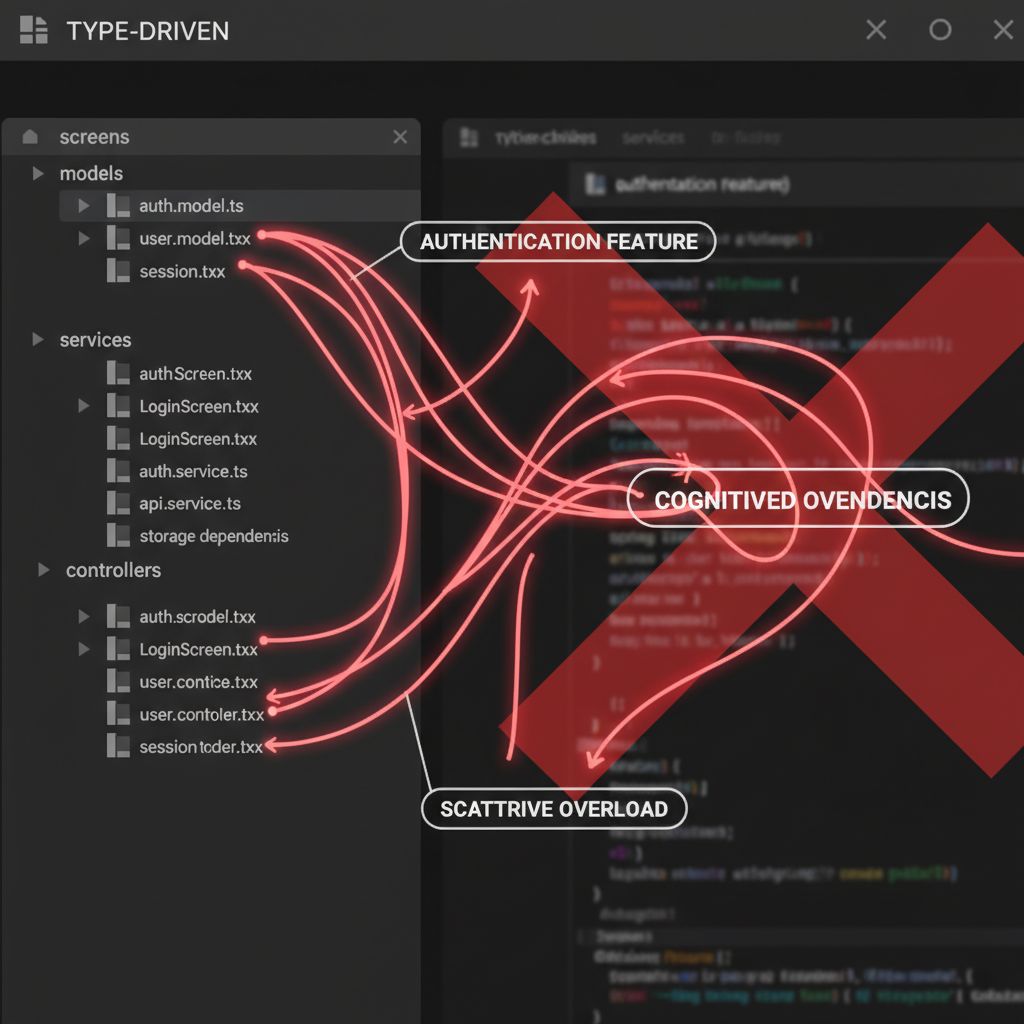
Worse, because these files live near each other based on type rather than purpose, it becomes incredibly easy to accidentally leak business logic into the UI, or let API responses dictate how your widgets are built. This violates the core principles of separation of concerns.
Why This Happens (Real Explanation)
This happens because Flutter is a UI toolkit, not a full-stack framework. If you look at the official Flutter architectural overview, you will see that Flutter provides the engine and the widget tree, but it deliberately stays out of your way when it comes to business logic and data management.
Without strict framework rules (like Angular or Spring Boot might have), developers often default to simple MVC (Model-View-Controller) patterns that they learned in school. But modern mobile apps are complex state machines, not simple document viewers.
The true root cause of the mess is dependency coupling. When your UI widgets directly depend on your HTTP client (like Dio or http), your UI becomes tightly coupled to the data source. Clean Architecture, originally coined by Robert C. Martin (Uncle Bob), solves this by enforcing a strict Dependency Rule: source code dependencies must point only inward, toward the business logic.
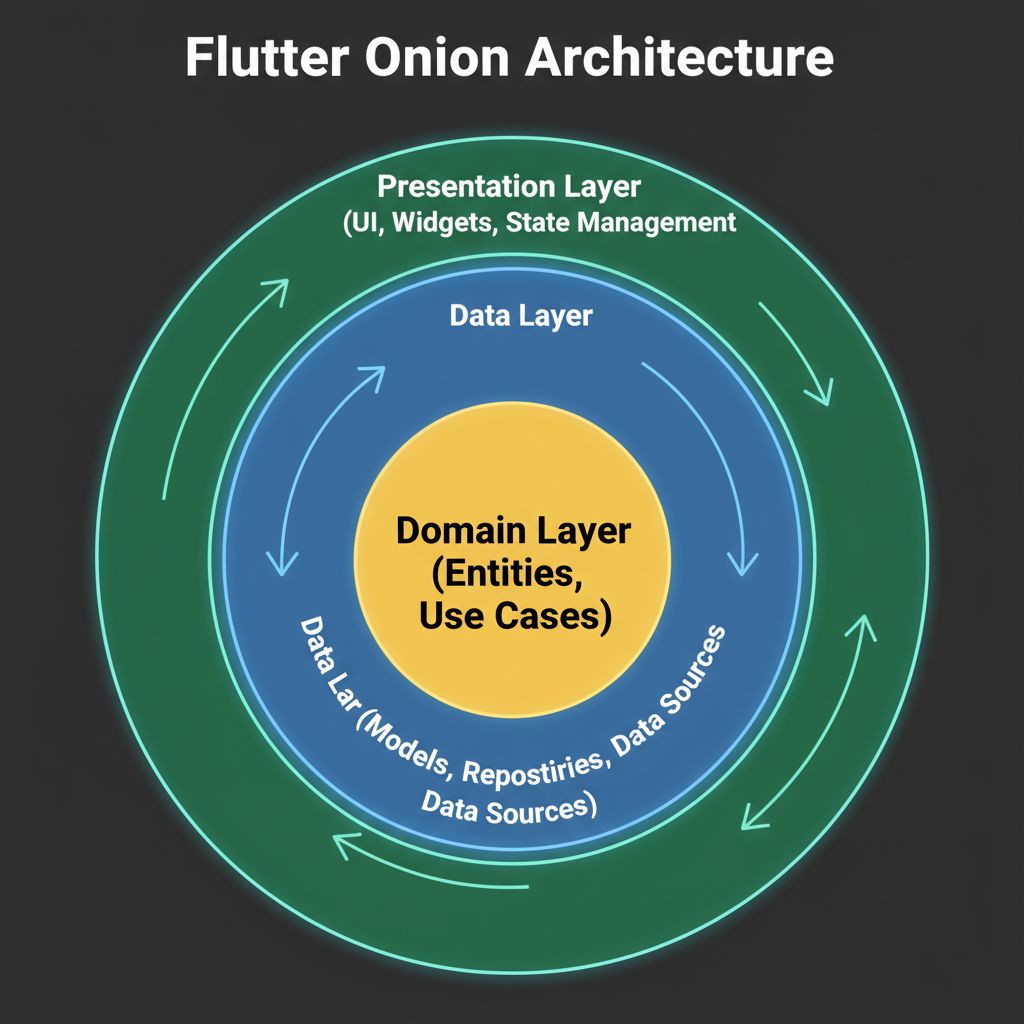
In a proper flutter app architecture guide, the flutter domain layer business logic sits at the center. The flutter presentation domain data layers surround it. The UI doesn’t know where the data comes from; it only knows how to ask the Domain layer for it.
When You Usually See This Issue
You will usually feel the pain of a poor folder structure in these realistic scenarios:
- Scaling to 20+ Screens: What worked for a 5-screen MVP suddenly feels unmanageable. Finding the right file takes longer than writing the code.
- Team Expansion: When you bring a second or third developer onto the project, merge conflicts skyrocket because everyone is touching the same massive
services/api.dartfile. - Swapping Backend Services: Your client decides to move from Firebase to a custom Node.js REST API. In a poorly structured app, this requires rewriting UI files because your widgets are expecting Firebase
DocumentSnapshotobjects. - Long-Term Maintenance: You return to a client project after 6 months and cannot remember how the authentication flow connects to the local database.
Quick Fix Summary (Decision Shortcut)
If you are in a rush and just want the fix to establish the best folder structure for flutter project, here is the shortcut:
- Adopt a Feature-First Structure: Group your files by feature (e.g.,
lib/features/auth/,lib/features/products/) rather than by type. - Split Features into Three Layers: Inside every feature folder, create three sub-folders:
presentation/,domain/, anddata/. - Enforce the Dependency Rule: The Presentation layer handles UI and State. The Data layer handles APIs and caching. The Domain layer sits in the middle with pure Dart code (no Flutter imports). Presentation and Data can only communicate through the Domain layer.
Step-by-Step Solution (Core Section)
Let’s implement the definitive flutter clean architecture folder structure example. We will use a “Feature-Driven” approach, which is widely considered the flutter project structure best practice in 2026.
Step 1: The Root Structure
Your lib/ folder should be divided into two main areas: core/ (for shared app-wide utilities) and features/ (where the actual app lives).
lib/
│
├── core/
│   ├── constants/
│   ├── errors/
│   ├── network/
│   ├── theme/
│   └── utils/
│
├── features/
│   ├── auth/
│   ├── home/
│   └── settings/
│
└── main.dart
The core/ folder contains things that span across multiple features, like custom exceptions, your Dio HTTP client setup, or global color themes.
Step 2: Structuring a Feature (The Clean Architecture Core)
Let’s zoom in on the auth/ feature. This is where we apply the flutter feature driven architecture mixed with Clean Architecture layers. Inside lib/features/auth/, you will create three folders:
lib/features/auth/
├── data/
│   ├── datasources/
│   ├── models/
│   └── repositories/
│
├── domain/
│   ├── entities/
│   ├── repositories/
│   └── usecases/
│
└── presentation/
    ├── pages/
    ├── widgets/
    └── manager/ (or bloc/ / provider/ / controllers/)
Step 3: The Domain Layer (The Heart)
Start here. The Domain layer contains your core business rules. It is completely independent of Flutter, APIs, or databases. It is pure Dart.
First, define an Entity. This is the core data structure of your app.
// lib/features/auth/domain/entities/user.dart
class User {
  final String id;
  final String email;
  final String name;

  User({required this.id, required this.email, required this.name});
}
Next, define a Repository Interface. The Domain layer doesn’t know how to get the user, it just defines the contract. We use Dart abstract classes for this.
// lib/features/auth/domain/repositories/auth_repository.dart
import '../entities/user.dart';

abstract class AuthRepository {
  Future<User> login(String email, String password);
  Future<void> logout();
}
Finally, create a Usecase. Usecases represent a single action a user can take.
// lib/features/auth/domain/usecases/login_usecase.dart
import '../repositories/auth_repository.dart';
import '../entities/user.dart';

class LoginUseCase {
  final AuthRepository repository;

  LoginUseCase(this.repository);

  Future<User> execute(String email, String password) {
    return repository.login(email, password);
  }
}
Step 4: The Data Layer (The Muscle)
The Data layer is responsible for fetching data from the outside world (APIs, SQLite, Firebase) and translating it into Domain entities.
First, create a Model. Models extend Entities but add serialization logic (like fromJson).
// lib/features/auth/data/models/user_model.dart
import '../../domain/entities/user.dart';

class UserModel extends User {
  UserModel({required super.id, required super.email, required super.name});

  factory UserModel.fromJson(Map<String, dynamic> json) {
    return UserModel(
      id: json['id'],
      email: json['email'],
      name: json['name'],
    );
  }
}
Next, implement the Repository defined in the Domain layer.
// lib/features/auth/data/repositories/auth_repository_impl.dart
import '../../domain/repositories/auth_repository.dart';
import '../datasources/auth_remote_data_source.dart';
import '../../domain/entities/user.dart';

class AuthRepositoryImpl implements AuthRepository {
  final AuthRemoteDataSource remoteDataSource;

  AuthRepositoryImpl(this.remoteDataSource);

  @override
  Future<User> login(String email, String password) async {
    // The repository handles errors, caching, and calls the data source.
    final userModel = await remoteDataSource.loginApi(email, password);
    return userModel; // Returns as a Domain Entity!
  }

  @override
  Future<void> logout() async {
    await remoteDataSource.logoutApi();
  }
}
Step 5: The Presentation Layer (The Face)
This is where your Flutter widgets and state management live. The UI should only trigger Usecases, never interact with Data Sources directly.
If you are implementing flutter clean architecture with bloc, your BLoC or Cubit will take the Usecase as a dependency. (If you are unsure which to use, read our guide on Flutter Cubit vs BLoC: When to Use Each for Scalable Apps).
// lib/features/auth/presentation/manager/auth_cubit.dart
import 'package:flutter_bloc/flutter_bloc.dart';
import '../../domain/usecases/login_usecase.dart';

class AuthCubit extends Cubit<AuthState> {
  final LoginUseCase loginUseCase;

  AuthCubit({required this.loginUseCase}) : super(AuthInitial());

  Future<void> login(String email, String password) async {
    emit(AuthLoading());
    try {
      final user = await loginUseCase.execute(email, password);
      emit(AuthSuccess(user));
    } catch (e) {
      emit(AuthFailure(e.toString()));
    }
  }
}
For those new to BLoC, we have a comprehensive Flutter BLoC Tutorial for Beginners that breaks down the state management setup step-by-step.
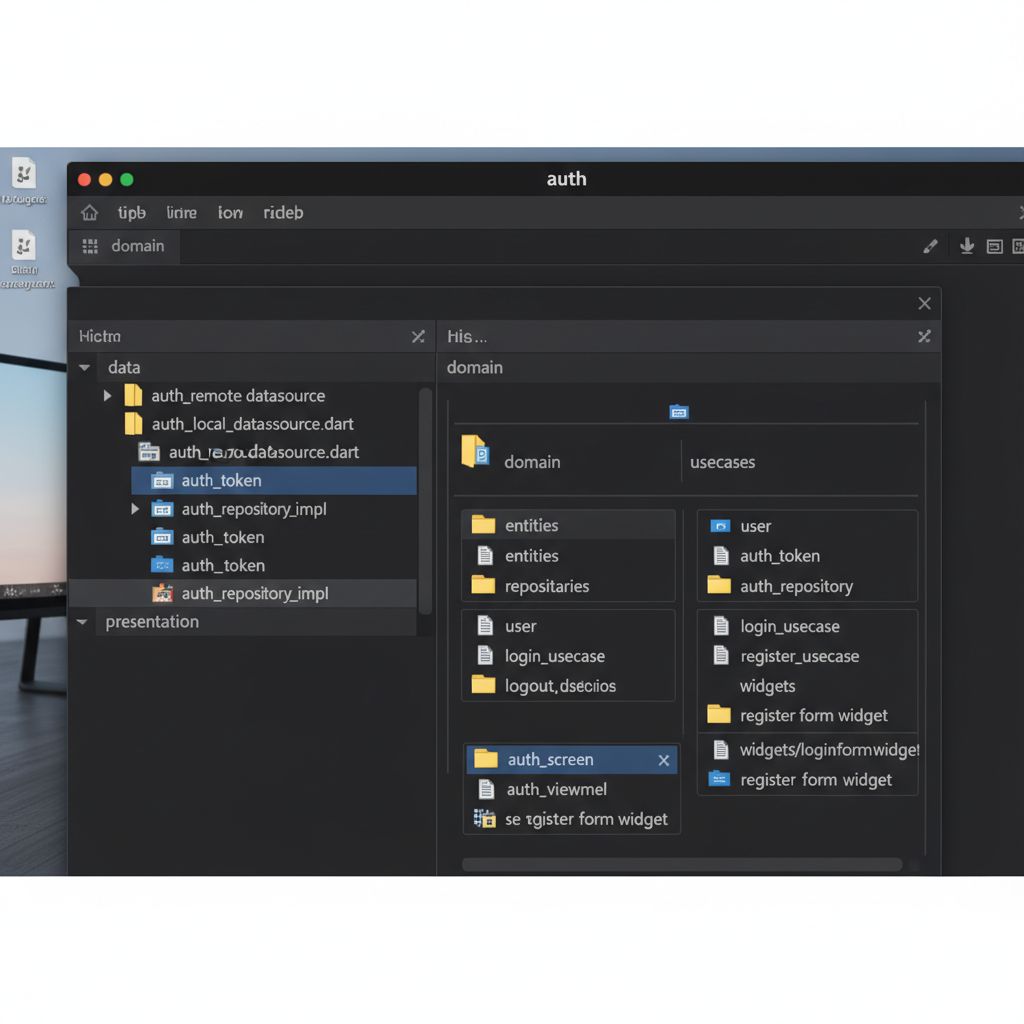
Why this works: If you decide to switch from a REST API to Firebase, you only touch the data/ layer. Your domain/ and presentation/ layers remain completely untouched. This is the magic of flutter domain driven design.
When NOT to use this: If you are building a simple 3-screen hackathon project, this is overkill. Stick to a simple MVC structure.
Common Mistakes Developers Make
Even when adopting flutter clean architecture best practices, developers often fall into a few traps:
- Leaking Models into the UI: You should never pass a
UserModel(with itsfromJsonmethods) to your UI. The UI should only know about theUserEntity. If your UI knows about JSON serialization, your layers are bleeding. - Putting UI logic in the Domain Layer: The Domain layer should not import
package:flutter/material.dart. If you are passing aBuildContextinto a Usecase, you have broken the architecture. - Fat Repositories: Putting 50 methods into a single
UserRepository. Break them down logically. - Overcomplicating the UI Folder: Keep your
presentation/widgets/strictly for components used within that specific feature. If a widget, like a custom Flutter SliverAppBar or a Flutter Floating Action Button Menu, is used across multiple features, move it tolib/core/widgets/.
Warnings and Practical Tips
⚠️ Warning: Boilerplate Overload. Clean Architecture requires writing more files. A simple API call requires an Entity, a Model, a Repository Interface, a Repository Implementation, a Usecase, and a Controller. Do not let this discourage you; the long-term maintainability is worth the upfront cost.
💡 Tip: Automate the Boilerplate. Use a flutter clean architecture cli tool like mason or very_good_cli to generate these folders and files with a single terminal command.
💡 Tip: Master Dependency Injection. Because Clean Architecture relies heavily on passing interfaces to classes (like passing AuthRepository to LoginUseCase), you need a robust DI setup. I highly recommend reading our guide on Mastering get_it Flutter Dependency Injection to wire everything together smoothly.
Edge Cases and Limitations
While this structure is incredibly resilient, there are a few edge cases to watch out for:
Shared Data Between Features: What happens when the home feature needs to know the current logged-in User from the auth feature? You should avoid importing auth/presentation/ into home/presentation/. Instead, the home feature should depend on a shared core session manager, or you can elevate the User entity to the core/ folder if it is truly global.
Micro-Frontends: If you are working on a massive enterprise app with 50+ developers, even this folder structure might become crowded. In those cases, teams often transition from a single lib/ folder to a Monorepo structure using Melos, where each feature is its own separate Flutter package.
What Happens If You Ignore This Problem
If you choose to ignore project structure and stick to a “Big Ball of Mud” approach, the consequences are severe for real-world apps:
- Technical Debt Paralysis: Eventually, adding a single button will break three unrelated screens. Developers become terrified to refactor code.
- Onboarding Nightmares: When a new developer joins, it takes them weeks to understand how data flows through the app.
- Testing Becomes Impossible: If your API calls are hardcoded inside your UI widgets, you cannot write unit tests without spinning up a full Flutter test environment and making real network requests.
FAQ Section
Is GetX suitable for Clean Architecture?
Yes, you can implement flutter clean architecture with getx. While GetX is often criticized for tight coupling, you can use GetX purely for state management and routing in the Presentation layer, while keeping your Domain and Data layers strictly Dart-only. However, many teams prefer Riverpod or BLoC for stricter separation.
Should I use Riverpod or Provider for this structure?
In 2026, Riverpod is the standard. It handles dependency injection and state management beautifully without the BuildContext limitations of Provider. If you are still using Provider, consider reading Riverpod vs Provider Flutter: Why It’s Time to Switch. Flutter clean architecture riverpod setups are incredibly clean because Riverpod can easily provide Usecases to your UI.
Do I need a UseCase for everything?
Strict Clean Architecture purists will say yes. However, pragmatically, if a Usecase only contains one line of code calling a Repository, some developers prefer to bypass it and call the Repository directly from the BLoC/Controller. My advice: keep the Usecases. They act as excellent documentation for what your app can actually do.
Final Takeaway & Conclusion
Transitioning to a flutter clean architecture folder structure is one of the most impactful decisions you can make for the long-term health of your app. By moving from a Type-Driven structure to a Feature-First structure, and strictly separating your Presentation, Domain, and Data layers, you isolate your business logic from UI and framework quirks.
Your Actionable Checklist:
- Create a
core/andfeatures/folder in yourlib/directory. - Pick one small feature in your app (like Settings or Profile).
- Create the
presentation,domain, anddatafolders inside that feature. - Extract the business rules into an Entity and an abstract Repository in the Domain layer.
- Move your API calls to the Data layer and implement the Repository.
- Refactor your UI to only communicate with the Domain layer.
Refactoring an existing app can feel daunting, but take it one feature at a time. The moment you need to change an API endpoint and realize you don’t have to touch a single UI file, you will understand exactly why this architecture is worth the effort. Take a deep breath, create those folders, and start building software that lasts.