Introduction
If you have been building Flutter apps for a while, you have almost certainly stared at your IDE, about to create a new feature, and asked yourself: “Should I use a Cubit or a full BLoC for this?”
I completely understand the frustration. You want to build scalable, maintainable apps, but writing three separate files (Event, State, and Bloc) just to toggle a checkbox or fetch a simple user profile feels like massive overkill. On the other hand, you don’t want to rely entirely on Cubits, only to realize weeks later that you need complex event debouncing, forcing you to rewrite your entire state management logic.
This is a very common issue in real-world Flutter development. The introduction of Cubit in the bloc package (v6.0) was meant to simplify our lives, but for many developers, it just introduced a paradox of choice. We are now in 2026, using Flutter 3.24+, and the flutter cubit vs bloc debate is still one of the biggest roadblocks for intermediate developers trying to finalize their app architecture.
This article is for developers who are tired of guessing. I am going to break down the exact difference between flutter cubit vs bloc, not with abstract textbook definitions, but with practical, production-tested rules. By the end of this guide, you will have a clear, definitive framework for knowing exactly when to use cubit vs bloc flutter in your projects.
What the Problem Is
In the real world, the problem usually starts with boilerplate fatigue. When developers learn BLoC, they are taught the strict, event-driven pattern. Every user interaction requires an event class. Every state change requires a state class. Every logic block requires a mapping function.
As your production app grows, your project directory becomes bloated. You experience the “over-engineering” problem. Developers get frustrated because they spend more time wiring up the state management boilerplate than actually writing business logic. To solve this, a developer might pivot entirely to Cubit. But then they hit the “under-engineering” problem: they try to implement a live search bar with a Cubit, realize they can’t easily debounce the keystrokes, and end up writing messy, nested timer logic inside their UI layer.
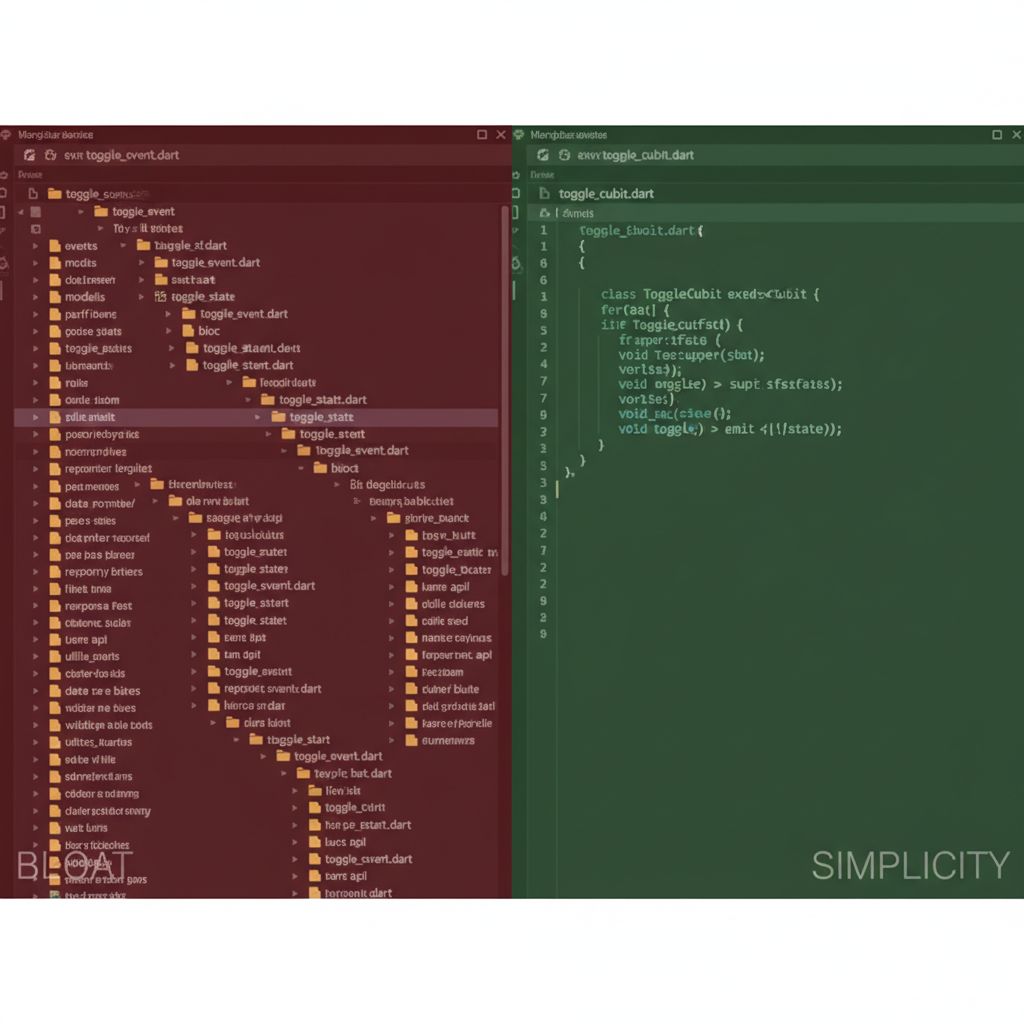
The core issue isn’t that one tool is better than the other. The issue is a lack of clear boundaries. If you don’t know the exact limitations of flutter cubit architecture versus standard BLoC, your codebase will eventually become an inconsistent mix of both.
Why This Happens (Real Explanation)
To make the right architectural decision, we need to look at how these two tools actually handle data flow under the hood. The fundamental cubit vs bloc difference comes down to how state changes are triggered.
Cubit is Function-Driven.
With a Cubit, the UI directly calls a function on the Cubit instance (e.g., context.read<AuthCubit>().login()). The Cubit does some work, and then emit()s a new state. It is straightforward, synchronous in its triggering, and requires zero event classes. The UI is tightly coupled to the methods exposed by the Cubit.
BLoC is Event-Driven.
With a BLoC, the UI never directly tells the BLoC what to do. Instead, the UI adds an Event to a stream (e.g., context.read<SearchBloc>().add(SearchQueryChanged(text))). The BLoC listens to this stream of events, processes them through an Event Transformer, and then emits new states. This decoupling is powerful because the BLoC has complete control over how and when events are processed (e.g., dropping rapid repeated events).
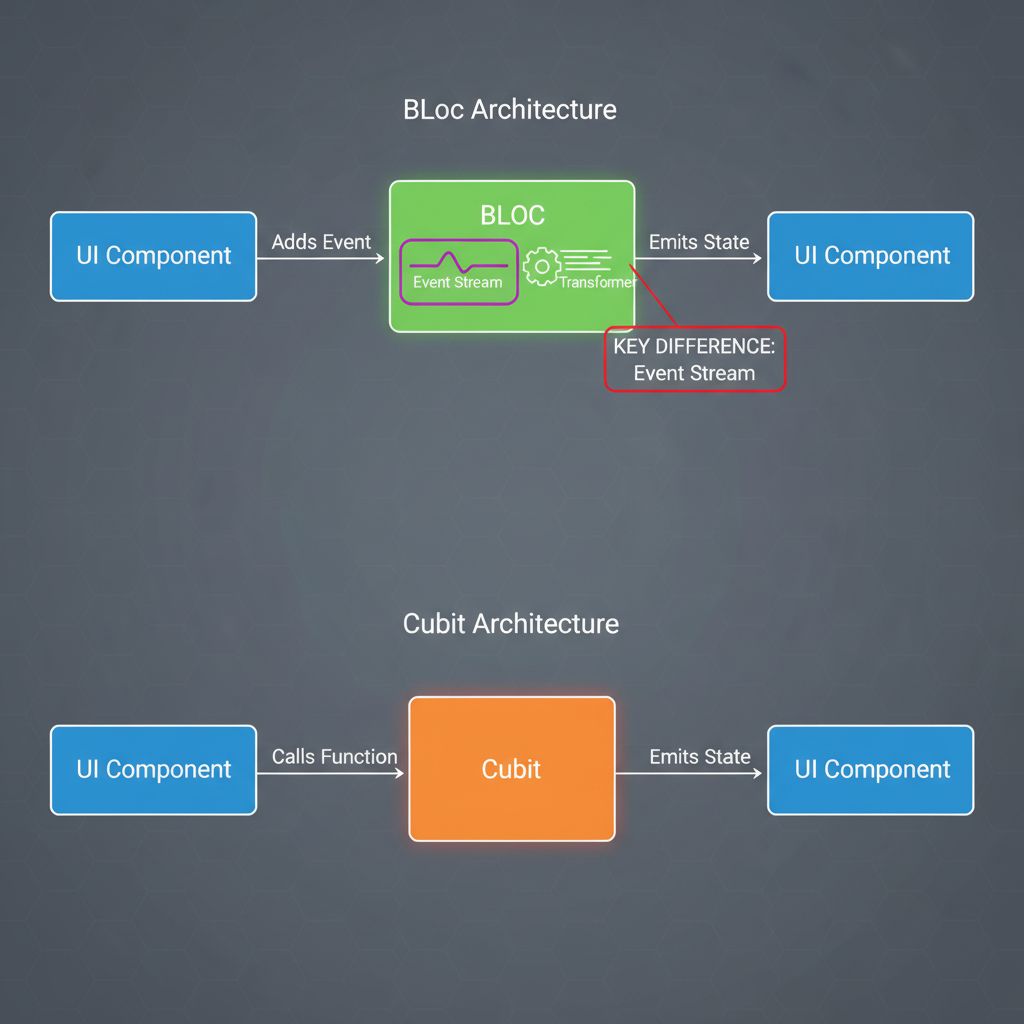
Under the hood, if you look at the official BLoC core concepts, Bloc actually extends Cubit. They share the same state stream. The only difference is that BLoC adds an event stream on top of it. Therefore, regarding flutter cubit vs bloc performance, they are essentially identical. The overhead of the event stream in BLoC is negligible in 99% of use cases.
When You Usually See This Issue
You will face this architectural dilemma in almost every scalable application, but it becomes a critical blocking point in these specific scenarios:
- Form Validation & Onboarding: You need to manage 10 different text fields. Writing an event for every single keystroke in a BLoC feels exhausting.
- Real-time Search & Filtering: You need to query an API as the user types, but you must avoid spamming the backend.
- WebSocket Subscriptions: You are building a chat app and need to react to a continuous stream of incoming messages from a server.
- Team Scaling: You are bringing on junior developers. If you’re wondering how to train them, you might want to start them with our Flutter BLoC Tutorial for Beginners to get them up to speed before throwing them into complex architectures.
Quick Fix Summary (Decision Shortcut)
If you are stuck right now and just want the fix, here is my personal, production-tested cheat sheet for when to use cubit flutter vs BLoC:
- Use Cubit when:
- The state change is simple and triggered by a direct user action (e.g., a button click).
- You are fetching data once (e.g., loading a user profile on screen start).
- Managing simple UI states (e.g., toggling a theme, opening a drawer).
- Use BLoC when:
- You need Event Transformers (e.g.,
debounceTime,throttle,switchMap). - Multiple UI components fire the same event and you need strict traceability.
- You are dealing with continuous streams of data (e.g., WebSockets, Bluetooth data).
- The order of events strictly matters and must be queued or dropped concurrently.
- You need Event Transformers (e.g.,
Step-by-Step Solution (Core Section)
Let’s look at exactly how to implement both, and more importantly, why one works better than the other in specific scenarios. This is where we look at a real flutter cubit example versus a BLoC example.
Scenario 1: The Simple Counter / API Fetch (When to Use Cubit)
Let’s say we are building a simple feature: fetching a user’s profile when a button is pressed. This is a perfect use case for Cubit. It is a linear action: User clicks button -> Show loading -> Fetch data -> Show data (or error).
// user_state.dart
abstract class UserState {}
class UserInitial extends UserState {}
class UserLoading extends UserState {}
class UserLoaded extends UserState {
  final String userName;
  UserLoaded(this.userName);
}
class UserError extends UserState {
  final String message;
  UserError(this.message);
}

// user_cubit.dart
import 'package:flutter_bloc/flutter_bloc.dart';

class UserCubit extends Cubit<UserState> {
  final UserRepository repository;

  UserCubit(this.repository) : super(UserInitial());

  // Function directly called by the UI
  Future<void> fetchUserProfile(String userId) async {
    emit(UserLoading());
    try {
      final name = await repository.getUser(userId);
      // Ensure the cubit isn't closed before emitting
      if (!isClosed) emit(UserLoaded(name));
    } catch (e) {
      if (!isClosed) emit(UserError("Failed to fetch user"));
    }
  }
}
Why this works: The UI just calls context.read<UserCubit>().fetchUserProfile('123'). There is no need for a FetchUserEvent. The intent is clear, the code is minimal, and we avoid unnecessary flutter bloc boilerplate.
Scenario 2: The Live Search Bar (When to Use BLoC)
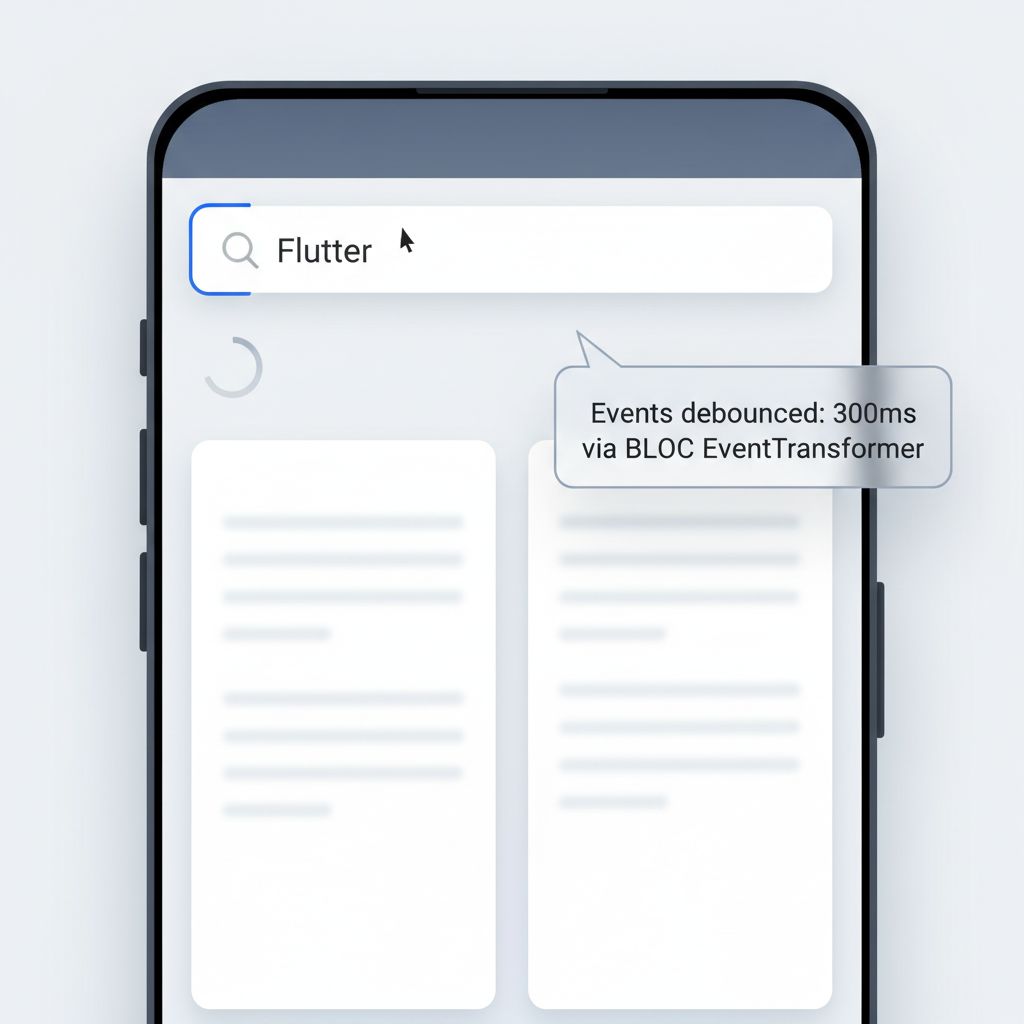
Now, let’s build a search bar that queries an API as the user types. If we use a Cubit, every keystroke triggers an API call. If the user types “Flutter” fast, we make 7 API calls. We need to debounce the input (wait 300ms after the user stops typing before calling the API). Doing this in a Cubit requires messy Timer logic. This is where the flutter bloc event vs function difference shines.
By using BLoC and the bloc_concurrency package (or rxdart), we can cleanly transform the event stream.
// search_event.dart
abstract class SearchEvent {}
class SearchQueryChanged extends SearchEvent {
  final String query;
  SearchQueryChanged(this.query);
}

// search_bloc.dart
import 'package:flutter_bloc/flutter_bloc.dart';
import 'package:rxdart/rxdart.dart';

class SearchBloc extends Bloc<SearchEvent, SearchState> {
  final SearchRepository repository;

  SearchBloc(this.repository) : super(SearchInitial()) {
    // We register the event handler WITH a custom transformer
    on<SearchQueryChanged>(
      _onSearchQueryChanged,
      transformer: debounce(const Duration(milliseconds: 300)),
    );
  }

  // The custom event transformer
  EventTransformer<T> debounce<T>(Duration duration) {
    return (events, mapper) => events.debounceTime(duration).switchMap(mapper);
  }

  Future<void> _onSearchQueryChanged(
    SearchQueryChanged event,
    Emitter<SearchState> emit
  ) async {
    if (event.query.isEmpty) {
      emit(SearchInitial());
      return;
    }

    emit(SearchLoading());
    try {
      final results = await repository.search(event.query);
      emit(SearchLoaded(results));
    } catch (e) {
      emit(SearchError("Search failed"));
    }
  }
}
Why this works: The UI blindly fires SearchQueryChanged on every keystroke. It doesn’t care about performance. The BLoC’s transformer intercepts these events, drops the rapid ones, and only processes the final event after the user pauses for 300ms. Furthermore, switchMap ensures that if a new search starts while the old one is still fetching, the old result is discarded, preventing race conditions.
Common Mistakes Developers Make
In my years of maintaining production Flutter apps, I’ve seen teams make the same state management mistakes repeatedly. Here are the most common ones to avoid:
- Using BLoC for pure UI state: Creating a
CheckboxBlocwithCheckboxToggledEventjust to manage a boolean is a massive waste of time. Use a Cubit (or even justsetStateif it’s strictly local to one widget). - Calling Cubit methods inside UI event listeners incorrectly: Developers sometimes put asynchronous API calls directly in an
onChangedcallback and try to manage loading states manually, instead of delegating the async work to the Cubit. - Ignoring
isClosedin async Cubits: If your Cubit performs a long-running API call, and the user navigates away (closing the Cubit), callingemit()when the API returns will throw a “Cannot emit new states after calling close” exception. Always checkif (!isClosed)before emitting after anawait. - Failing to utilize Event Transformers: If you are using BLoC but not using transformers like
droppable,restartable, orconcurrent, you are essentially writing a Cubit with extra steps. Take advantage of BLoC’s core strengths!
Warnings and Practical Tips
⚠️ Warning: Establish Team Guidelines. If you let developers choose between Cubit and BLoC on a whim, your codebase will become a mess. Write a README.md in your project dictating exactly when to use which. A good rule of thumb: “Default to Cubit. Upgrade to BLoC only if event transformation is required.”
💡 Tip: You can mix them! Because Bloc extends Cubit, they are fully interoperable. A Cubit can listen to a BLoC’s state stream using a StreamSubscription, and vice versa. This is incredibly useful for complex apps.
💡 Tip: Keep an eye on the ecosystem. The Flutter state management landscape is always evolving. Much like the shift we discussed in our Riverpod vs Provider Flutter guide, understanding the underlying reactive principles is more important than memorizing syntax.
Edge Cases and Limitations
While Cubit is fantastic for reducing boilerplate, it has limitations when it comes to traceability. Because Cubits are triggered by standard function calls, it can be harder to track exactly what triggered a state change in complex apps. With BLoC, the BlocObserver can log every single event that enters the system, making debugging complex state machines much easier.
Additionally, testing BLoC can sometimes feel more rigid. You have to use the bloc_test package to add events and wait for state emissions. Testing a Cubit is often as simple as calling the method and awaiting the result. Keep this in mind if your team is heavily focused on Test-Driven Development (TDD).
What Happens If You Ignore This Problem
If you don’t establish a clear boundary for flutter state management best practices, your app will suffer from what I call “Architecture Rot.”
If you force BLoC everywhere, your feature velocity will slow down. Developers will dread building simple features because of the file bloat. If you force Cubit everywhere, you will inevitably run into race conditions, memory leaks from unmanaged stream subscriptions, and janky UI behavior when dealing with rapid user inputs.
Poor state management also directly impacts UI performance. When dealing with complex UI interactions, like managing state for a Flutter Floating Action Button Menu or coordinating scroll events, using the wrong tool can lead to unnecessary widget rebuilds and dropped frames.
FAQ Section
Is Cubit replacing BLoC?
No. Cubit is a subset of BLoC. They are maintained in the same package by the same creator (Felix Angelov). They are designed to coexist. Cubit is for simple state, BLoC is for complex event-driven state.
Which is better for performance? Flutter Cubit vs BLoC performance?
They are identical in performance. BLoC extends Cubit. The only difference is that BLoC adds a lightweight stream controller for incoming events. The performance overhead of this is practically zero.
How does this compare to Riverpod, GetX, or Signals?
The flutter bloc vs riverpod and flutter signals vs bloc debates are popular, but they compare apples to oranges. BLoC/Cubit enforces a strict separation of concerns and a unidirectional data flow. Riverpod is more akin to a dependency injection framework combined with reactive state. GetX is a micro-framework. If you want strict, predictable architecture, BLoC/Cubit remains the industry standard for enterprise apps in 2026.
Can I use both in the same app?
Absolutely. In fact, it is recommended! Use Cubit for 80% of your features (fetching data, simple UI state) and reserve BLoC for the 20% that require complex event handling (search debouncing, complex form validation, WebSocket streams).
Final Takeaway & Conclusion
The debate between flutter cubit vs bloc shouldn’t be a battle; it should be a partnership. You don’t have to pick just one.
Here is your actionable checklist for your next feature:
- Start by asking: “Do I need to manipulate the stream of incoming user actions (debounce, throttle, queue)?”
- If YES: Create a BLoC. Use
EventTransformer. - If NO: Create a Cubit. Keep it simple and clean.
- Ensure your team agrees on this rule and documents it.
Flutter development is supposed to be enjoyable. Don’t let boilerplate ruin your workflow, but don’t shy away from powerful event streams when you truly need them. Apply this mental model to your current project, clean up those unnecessary Event classes, and watch your codebase become significantly more manageable. Happy coding!