Introduction
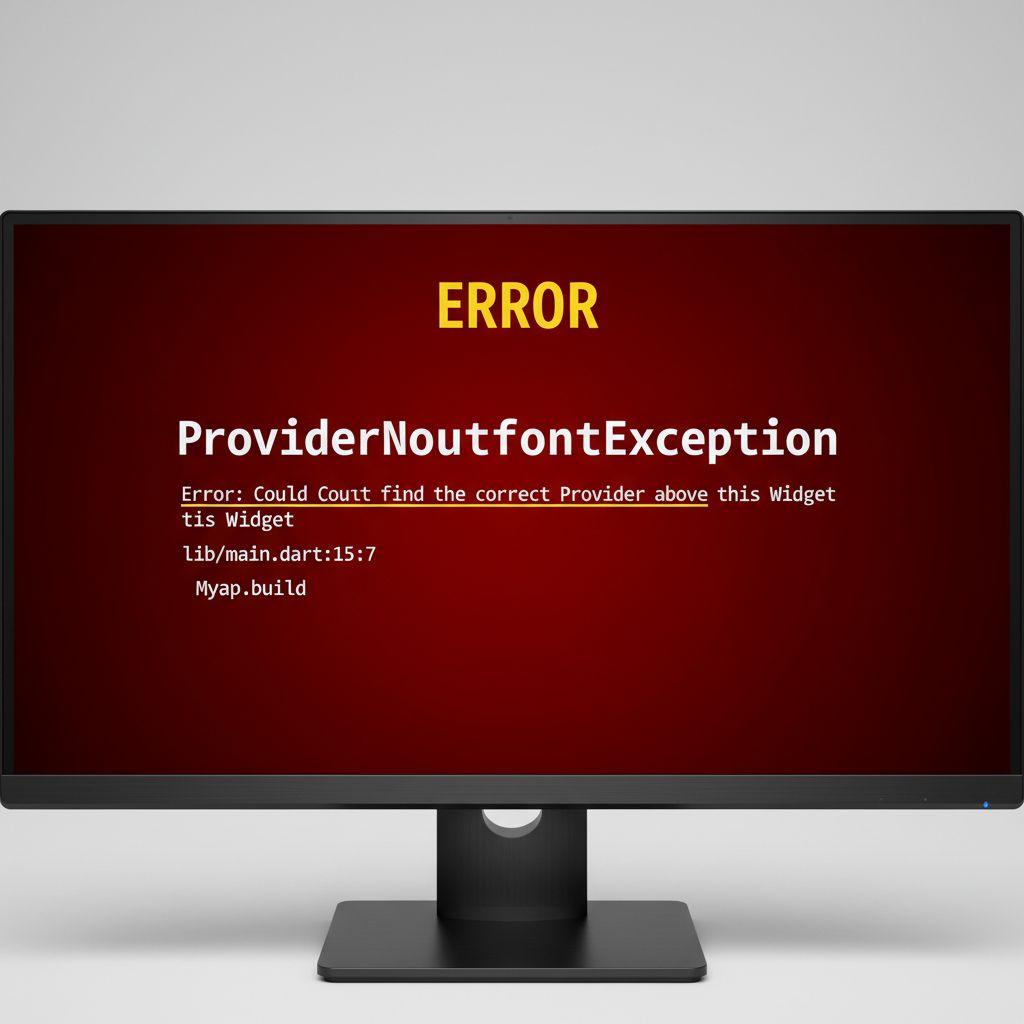
If you have been building Flutter apps for a while, you have almost certainly stared at a red screen of death screaming ProviderNotFoundException. Or perhaps you are trying to access your user’s authentication state inside a background callback, but you don’t have a BuildContext available. You are stuck, frustrated, and wondering if your entire app architecture needs a rewrite.
You are not alone. In fact, this exact frustration is what drives almost every developer to search for “riverpod vs provider flutter”. You are likely trying to debug a context-related issue right now, or you are hitting the architectural limits of Provider in a growing production app, and you want to know if Riverpod is the magic bullet that will fix your problems.
As someone who has spent the last five years building and maintaining large-scale Flutter applications, I can tell you that this is a rite of passage. Provider is a fantastic tool—it was the official recommendation for years—but it has fundamental limitations tied to Flutter’s widget tree. In 2026, the Flutter state management comparison usually boils down to fixing these exact limitations.
This article is for developers who are actively fighting with state management bugs, context errors, or messy refactoring loops. We are going to break down exactly why your Provider setup is failing, how Riverpod solves it, and give you a clear, practical path forward without the academic fluff.
What the Problem Is
Let’s talk about what you are actually experiencing in your code right now. The problem rarely starts as a debate about “architecture.” It usually starts as a bug.
You are trying to read a state class—maybe a CartViewModel or an AuthService—from a widget. You write context.read<AuthService>(), hit save, and your app instantly crashes. Flutter throws a massive error telling you that it cannot find the Provider above the current widget.
Alternatively, you might be dealing with the dreaded “Don’t use BuildContext across async gaps” lint warning. You trigger an API call, wait for the result, and then try to update the UI using the context. But by the time the API returns, the user has navigated away, the widget is unmounted, and your app crashes because the context is no longer valid.
You are experiencing the limitations of tight coupling. Your business logic is physically chained to your UI layout.
Why This Happens (Real Explanation)
To fix this, you need to understand the true root cause. Why does Provider throw these errors?
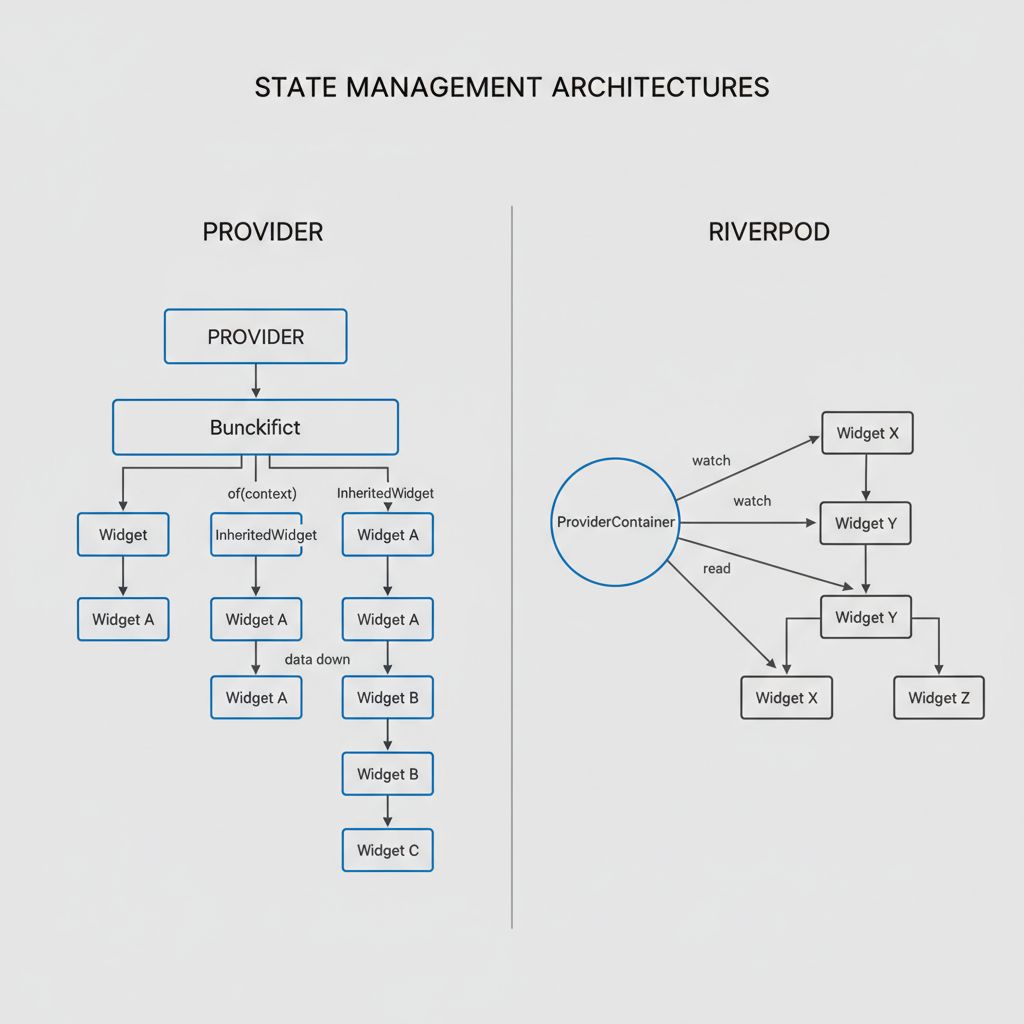
Provider is essentially a wrapper around Flutter’s built-in InheritedWidget. It stores your state inside the widget tree. When you call context.read(), Provider literally walks up the widget tree, node by node, looking for a matching type.
If you try to access a Provider from a widget that is parallel to it, or above it in the tree, the search fails. If you try to access it from a route pushed via Navigator, it might fail, because dialogs and new routes often exist on a different branch of the widget tree.
Riverpod, created by the exact same developer (Remi Rousselet), was built specifically to solve this flaw. Riverpod completely removes state from the widget tree. Instead, it stores all your state in a global ProviderContainer that sits outside of Flutter’s UI hierarchy. Because the state is no longer in the tree, you no longer need a BuildContext to access it. You will never see a ProviderNotFoundException again, because Riverpod catches missing dependencies at compile-time, not runtime.
When You Usually See This Issue
In simple tutorial apps, Provider works perfectly. But in real-world, scalable apps used by real users, this architectural problem rears its head in very specific scenarios:
- Deep Routing & Dialogs: You open a bottom sheet or a dialog and try to update the main screen’s state, only to realize the dialog doesn’t share the same context tree.
- Complex UI Components: When you are triggering an action from a deeply nested Floating Action Button Menu and need to update a list on a completely different tab.
- Scroll Listeners & Headers: When managing dynamic scroll state for a SliverAppBar, passing context around becomes a performance bottleneck and causes unnecessary rebuilds.
- Background Tasks: Trying to handle push notifications or background location updates where there is literally no UI context available to read your state.
Quick Fix Summary (Decision Shortcut)
If you are stuck right now and need to make a decision fast, here is the executive summary of the flutter riverpod 2026 debate. Below is a comparison table to help you decide whether to fix your Provider setup or migrate to Riverpod.
| Feature / Problem | Provider (The Old Way) | Riverpod (The Modern Fix) |
|---|---|---|
| Context Dependency | Requires BuildContext. Fails in async gaps. | No BuildContext needed for business logic. |
| Error Handling | Throws ProviderNotFoundException at runtime (crash). | Catches errors at compile-time. Won’t compile if broken. |
| Multiple Same Types | Cannot easily provide two of the same type (e.g., two String providers). | Easily supports multiple instances of the same type. |
| Combining States | Requires messy ProxyProvider boilerplate. | Simple, clean composition using ref.watch(). |
| Learning Curve | Low. Very easy for beginners. | Moderate. Requires understanding WidgetRef and Code Gen. |
- Stick with Provider IF: You are maintaining a legacy app, the deadline is tomorrow, and you can fix your current bug by moving your
ChangeNotifierProviderhigher up the widget tree (e.g., aboveMaterialApp). - Migrate to Riverpod IF: You are tired of context errors, you need to combine multiple states easily, you are starting a new project, or you want to future-proof your app for 2026 and beyond.
Step-by-Step Solution (Core Section)
Let’s look at how to actually solve the problem. First, I will show you the typical broken Provider code, and then how we fix it permanently using Riverpod.
The Broken Provider Approach
Here is the classic mistake that causes the runtime crash. We try to read the AuthService after an async gap.
// ❌ THE PROBLEM: Using Provider across async gaps
ElevatedButton(
  onPressed: () async {
    // 1. We start a network request
    final success = await api.login(user, pass);

    // 2. We wait for the result. The user might close the screen here!

    if (success) {
      // 3. ⚠️ LINT WARNING & POTENTIAL CRASH!
      // If the widget is unmounted, context is dead.
      // If the Provider is not high enough, this throws ProviderNotFoundException.
      context.read<AuthService>().setLoggedIn(true);
    }
  },
  child: Text('Login'),
)
The Riverpod Fix
To solve this, we migrate this specific logic to Riverpod. We use a ConsumerWidget which gives us a WidgetRef. The ref object allows us to interact with our state completely independently of Flutter’s BuildContext.
First, define your provider (in 2026, we highly recommend using Riverpod’s code generation via the @riverpod annotation, but here is the raw modern syntax for clarity):
// 1. Define the state globally. It is safe, immutable, and out of the widget tree.
final authServiceProvider = NotifierProvider<AuthService, bool>(AuthService.new);

class AuthService extends Notifier<bool> {
  @override
  bool build() => false; // Initial state: not logged in

  void setLoggedIn(bool value) {
    state = value; // Updates the state and triggers UI rebuilds
  }
}
Now, let’s fix the UI implementation:
// ✅ THE SOLUTION: Using Riverpod's WidgetRef
// Change StatelessWidget to ConsumerWidget
class LoginButton extends ConsumerWidget {
  @override
  Widget build(BuildContext context, WidgetRef ref) {
    return ElevatedButton(
      onPressed: () async {
        final success = await api.login(user, pass);

        if (success) {
          // 🚀 FIX: We use 'ref' instead of 'context'.
          // Ref is safe to use across async gaps. It talks directly to the
          // ProviderContainer, completely bypassing the fragile widget tree.
          ref.read(authServiceProvider.notifier).setLoggedIn(true);
        }
      },
      child: Text('Login'),
    );
  }
}
Why This Works
This solution completely decouples your business logic from your UI. By using ref.read, you are asking Riverpod’s global container for the state, rather than asking the Flutter widget tree. Because the container is always alive as long as the app is running, it does not matter if the user navigated away or if the widget unmounted. The state updates safely, and any widgets currently listening to it will rebuild automatically.
Common Mistakes Developers Make
Even when developers migrate to Riverpod to solve their Provider issues, they often bring old habits with them. Here are the most common mistakes I see in code reviews:
- Using
ref.watchinside functions:ref.watchis designed to listen to changes and rebuild the UI. If you put it inside anonPressedcallback, Riverpod will throw an error. Always useref.readinside events and callbacks. - Passing Ref down to standard widgets: Do not pass
WidgetRefas a parameter to generic Flutter widgets. If a widget needs access to state, simply change it to aConsumerWidget. Riverpod is designed to be accessed locally where needed. - Clinging to ChangeNotifier: While Riverpod supports
ChangeNotifierProviderfor backward compatibility, using it defeats the purpose of Riverpod’s immutability and performance optimizations. Migrate away fromChangeNotifiertoNotifierorAsyncNotifier.
Warnings and Practical Tips
⚠️ Warning: Do not attempt a massive “Big Bang” rewrite of a production app from Provider to Riverpod in one weekend. Both packages can coexist in the same app. Wrap your app in both MultiProvider and ProviderScope, and migrate your features one by one.
💡 Practical Tip – Caching: One of Riverpod’s superpowers is automatic state disposal. If you use autoDispose on a provider, Riverpod will automatically clear the memory when no widgets are listening to it anymore. This is incredibly powerful for fetching data on detail screens; when the user hits back, the memory is freed instantly. Provider cannot do this natively without complex lifecycle management.
💡 Practical Tip – Concurrency: When dealing with complex asynchronous flows, leveraging Dart’s built-in concurrency features alongside Riverpod’s AsyncValue makes handling loading, error, and data states effortless compared to Provider’s manual boolean toggles.
Edge Cases and Limitations
Is Riverpod perfect? No. While it solves the context problem, it introduces a steeper learning curve. The syntax can feel overwhelming at first, especially with the introduction of Riverpod Generator (code generation).
If you are building a throwaway prototype, a 4-screen app, or a simple internal tool, migrating to Riverpod might be overkill. Provider is still actively maintained on pub.dev and works perfectly fine for simple hierarchical state. The limitations only become blockers when your app scales in complexity.
What Happens If You Ignore This Problem
If you choose to ignore the context issues and stick with a poorly structured Provider setup, your codebase will inevitably turn into spaghetti. To avoid ProviderNotFoundException, developers often resort to moving all their providers to the very top of the app (above MaterialApp).
While this stops the crashes, it creates a massive performance problem. Global providers never dispose of their state. Your app will consume more and more memory as the user navigates, eventually leading to sluggish UI, dropped frames, and Out-Of-Memory (OOM) crashes on older devices. You also lose the ability to easily scope state to specific user flows (like a multi-step checkout process).
FAQ Section
Is Provider dead in 2026?
No, Provider is not dead. It is still used by thousands of legacy applications and is officially maintained. However, even its creator recommends starting new projects with Riverpod. Provider is in “maintenance mode”—it receives bug fixes, but no major new features.
Do I have to use Code Generation with Riverpod?
You don’t have to, but it is highly recommended. Riverpod 2.0+ introduced the @riverpod annotation, which automatically generates the correct provider types for you. It removes the boilerplate and prevents you from choosing the wrong provider type (which was a common complaint in older versions).
Can Riverpod and Provider be used together?
Yes, absolutely. They do not conflict with each other. You can leave your legacy Provider code as is, and build all new features using Riverpod. This is the safest way to migrate a large production app without stopping feature development.
Final Takeaway & Conclusion
The “riverpod vs provider flutter” debate isn’t just about personal preference; it is about choosing the right architectural tool to solve real engineering problems. Provider tightly couples your state to Flutter’s widget tree, which inevitably leads to context errors, testing nightmares, and async crashes as your app grows. Riverpod cleanly separates your business logic from the UI, making your app safer, more predictable, and easier to scale.
Your Actionable Checklist:
- Identify the exact widget throwing the
ProviderNotFoundExceptionor async context warning. - Add
flutter_riverpodto yourpubspec.yamland wrap your app in aProviderScope. - Convert that specific piece of state into a Riverpod
NotifierProvider. - Change the failing widget to a
ConsumerWidgetand replacecontext.readwithref.read. - Verify the fix by triggering the action and navigating away before it completes. You will see the error is gone.
Refactoring state management can feel daunting, but migrating away from fragile context-based logic is one of the highest-ROI investments you can make in your Flutter codebase. Take it one provider at a time, rely on the compiler, and enjoy the stability that comes with a decoupled architecture. You’ve got this.