Introduction
It’s 2026. Odds are, you’ve inherited a Flutter app built three or four years ago. You didn’t choose the architecture, but now you have to maintain it. Or maybe you’re learning Flutter for the first time, and despite all the noise about Riverpod or Bloc, you’ve noticed that the official Google documentation still points you toward Provider as the pragmatic starting point.
I get it. You have a screen that lags when you type into a text field. You have a “simple” counter that somehow triggers a rebuild of your entire dashboard. You are staring at a widget tree wrapped in so many Provider, ProxyProvider, and ChangeNotifierProvider widgets that it looks like a pyramid scheme of state management.
You aren’t alone. Even in 2026, Flutter Provider state management remains the backbone of thousands of production applications. While newer tools exist, Provider is far from dead—but it is often misunderstood and poorly optimized.
This guide isn’t about theoretical definitions. It is a senior developer’s handbook on how to tame Provider v6+, stop the “rebuild tsunami,” and make the critical decision: do you optimize what you have, or is it finally time to migrate?
What the Problem Is
The core problem with most Provider implementations isn’t the library itself; it’s over-listening.
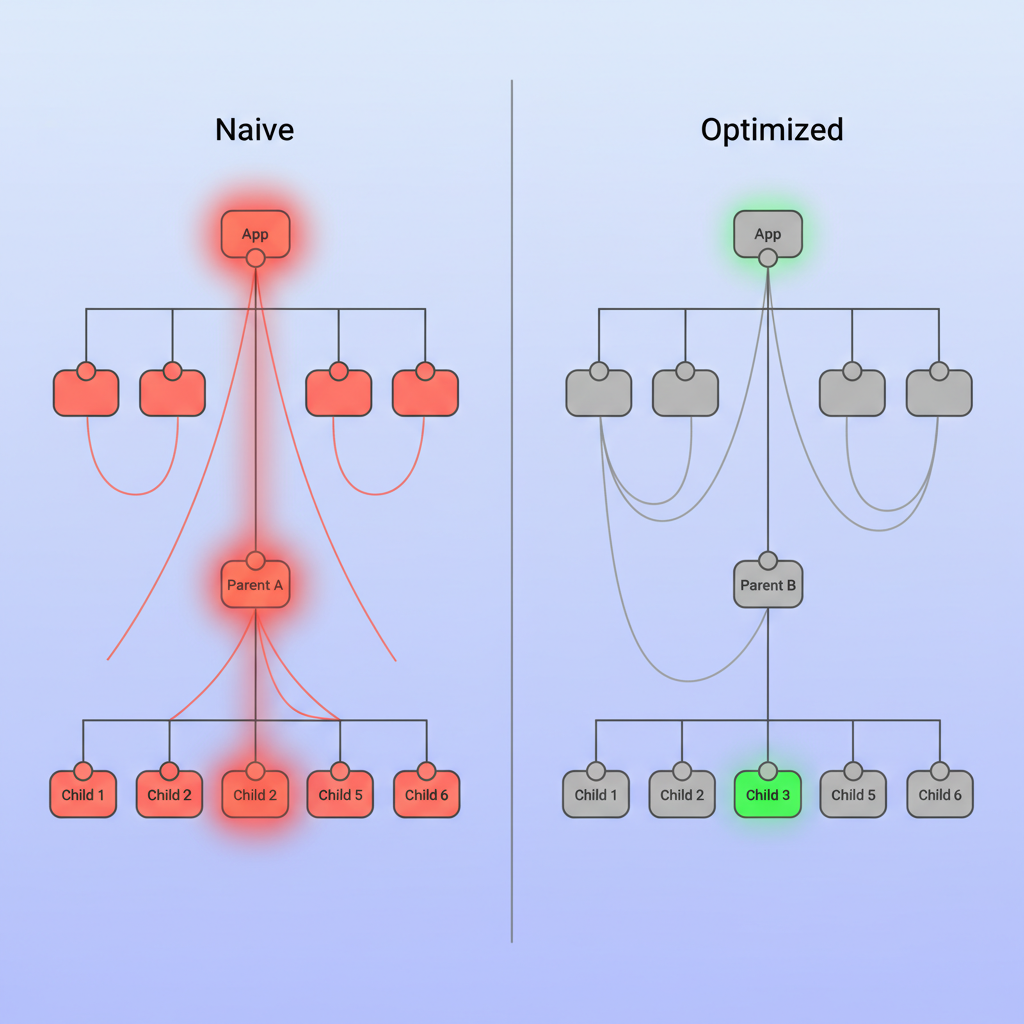
In a naive implementation, developers often place a context.watch<MyModel>() call at the very top of a build() method. This tells Flutter: “If anything in this model changes—a single boolean, a string, a counter—tear down this entire widget and everything inside it, and build it again from scratch.”
When your app is small, you won’t notice. But as your state objects grow to handle complex logic, a single variable change triggers a cascade of UI updates across widgets that didn’t need to change at all. This leads to janky animations, dropped frames during scrolling, and significant battery drain.
Why This Happens (Real Explanation)
To fix this, you need to understand how Provider actually interacts with the Flutter Element tree. Provider is essentially a wrapper around InheritedWidget.
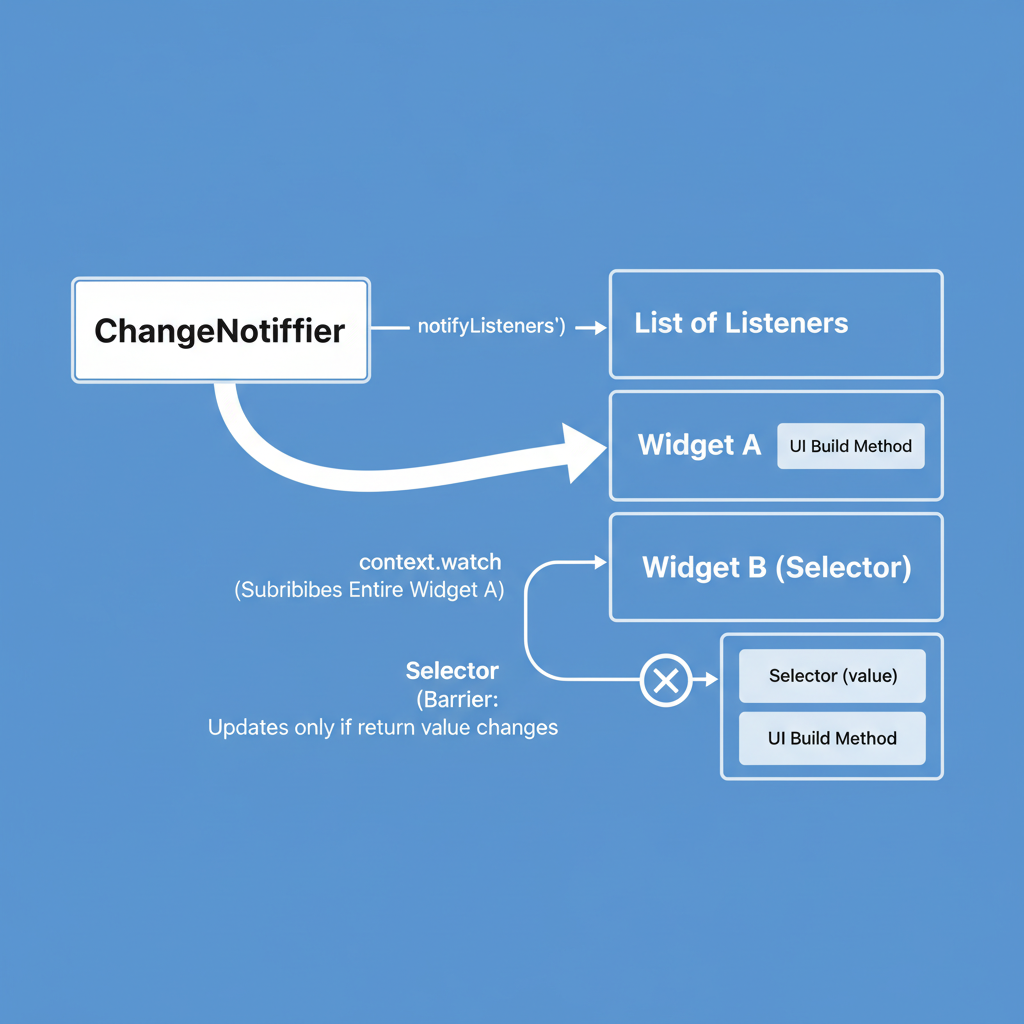
When you call Provider.of<T>(context) (or context.watch<T>()), you are registering the current widget (the context) as a dependent of that Provider. When the ChangeNotifier calls notifyListeners(), it iterates through every registered dependent and marks them as “dirty.”
The issue arises because ChangeNotifier is coarse-grained. It doesn’t know what changed; it only knows something changed. Consequently, every widget listening to it must assume the worst and rebuild.
When You Usually See This Issue
In my experience auditing production apps, this performance bottleneck usually appears in these scenarios:
- Large Lists: Each list item listens to a global provider for a “favorite” status, causing the whole list to flicker when one item is tapped.
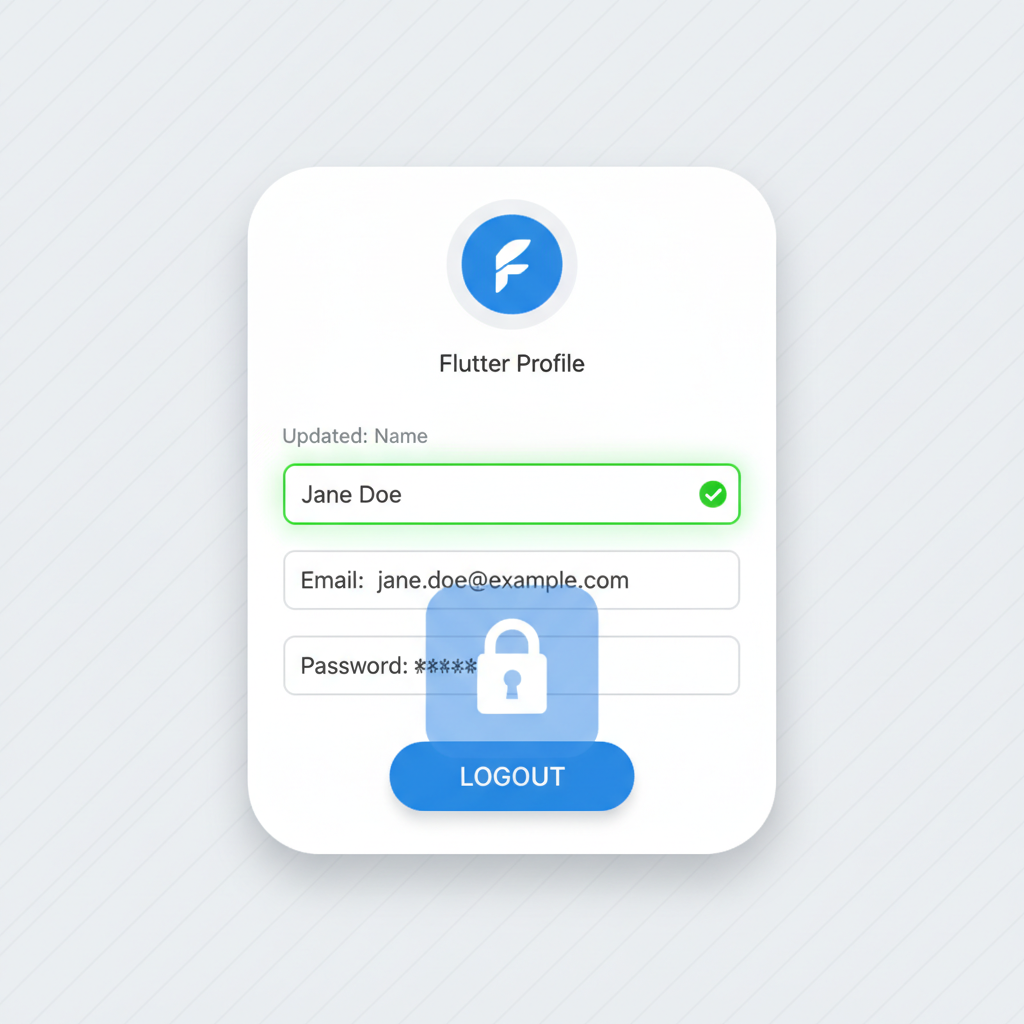
- Forms: Typing in a “Name” field rebuilds the “Email” field and the “Submit” button on every keystroke.
- Tab Switching: Changing a tab index rebuilds the content of the tabs that aren’t even visible yet.
Quick Fix Summary
If you are currently debugging a frozen UI and just need the solution immediately, here is the decision shortcut:
- Stop using
Provider.of<T>(context)at the top of your build method. - Start using
Selector<T, V>to listen only to the specific data you need. - Use
context.read<T>()inside functions (like `onPressed`) instead of `watch`.
Step-by-Step Solution: Efficient Rebuilds
Let’s refactor a common inefficient pattern into a modern, optimized Provider v6 pattern.
1. The Anti-Pattern (Don’t do this)
This code rebuilds the entire UserProfile widget whenever anything in UserNotifier changes.
// ⚠️ BAD: Rebuilds everything on any change
class UserProfile extends StatelessWidget {
  @override
  Widget build(BuildContext context) {
    // This listens to the WHOLE object
    final user = context.watch<UserNotifier>();

    return Column(
      children: [
        Text(user.name), // We only need name here
        Text(user.email),
        ElevatedButton(
          onPressed: () => user.logout(), // Logic call
          child: Text("Logout"),
        ),
      ],
    );
  }
}
2. The Selector Solution (Best Practice)
The Selector widget is your best friend in 2026. It allows you to extract a specific value from your provider and compares the new value to the old one. If they are the same, it prevents the rebuild.
// ✅ GOOD: Only rebuilds the Text widget if 'name' changes
class UserProfile extends StatelessWidget {
  @override
  Widget build(BuildContext context) {
    return Column(
      children: [
        // Select only the name string
        Selector<UserNotifier, String>(
          selector: (context, provider) => provider.name,
          builder: (context, name, child) {
            return Text(name);
          },
        ),
        // Select only the email string
        Selector<UserNotifier, String>(
          selector: (context, provider) => provider.email,
          builder: (context, email, child) {
            return Text(email);
          },
        ),
        // No listening needed for the button!
        const LogoutButton(),
      ],
    );
  }
}
3. Handling Actions with context.read
For the button, we don’t need to listen to state changes at all. We just need to call a function. Using context.read avoids registering a listener entirely.
class LogoutButton extends StatelessWidget {
  const LogoutButton({super.key});

  @override
  Widget build(BuildContext context) {
    return ElevatedButton(
      onPressed: () {
        // ✅ context.read finds the object without listening for updates
        context.read<UserNotifier>().logout();
      },
      child: const Text("Logout"),
    );
  }
}
Provider vs. Riverpod: The 2026 Decision Guide
This is the most common question I hear: “Should I keep using Provider or rewrite everything in Riverpod?”
Riverpod (created by the same author as Provider) is technically superior because it removes the dependency on BuildContext and offers compile-time safety. However, a rewrite is expensive. Here is my pragmatic advice for 2026:
Stick with Provider if:
- Your app is already large and stable.
- You rely heavily on
Navigator 1.0and context-bound logic. - You are working with a team that already knows Provider well.
- You only have basic global state needs (Auth, Theme).
Migrate to Riverpod if:
- You are starting a new project.
- You find yourself needing “Providers inside Providers” (dependency injection hell).
- You are struggling with “ProviderNotFoundException” errors during testing or navigation.
- You need to combine asynchronous state (Future/Stream) frequently.
If you decide to stick with Provider, you must treat it with discipline. Use Selector aggressively and keep your ChangeNotifiers small and focused.
Common Mistakes Developers Make
1. Logic in the UI
Don’t put `if` statements regarding business logic inside your `build` method. Move them to your `ChangeNotifier`. The UI should just display data.
2. Listening inside initState
A classic error. You cannot call context.watch or Provider.of(context) inside initState because the widget isn’t fully built yet. Use context.read in PostFrameCallback or, better yet, initialize logic in the Provider’s constructor or a dedicated `init()` method called from the UI.
3. Over-notifying
Inside your ChangeNotifier, be careful with notifyListeners(). If you update three variables, update them all first, then call notifyListeners() once at the end. Calling it three times triggers three separate rebuild frames.
Warnings and Practical Tips
⚠️ Warning: Be careful with object equality in `Selector`. If your selector returns a new instance of a List or Object every time (e.g., `selector: (_, p) => p.items.where(…)`), Flutter will think the data changed every time because the memory references are different. You may need to override `==` and `hashCode` in your data models or use the equatable package.
💡 Tip: Split your Providers. Instead of one giant `AppProvider` that holds Auth, Settings, and Data, create three separate providers: `AuthProvider`, `SettingsProvider`, and `DataProvider`. This naturally reduces the scope of rebuilds.
Edge Cases and Limitations
Provider relies on the widget tree. This means if you need to access state outside the widget tree—for example, in a background service, a notification handler, or a pure Dart HTTP interceptor—Provider makes this difficult because you don’t have a BuildContext.
In these cases, developers often resort to creating a “Global Singleton” or passing the Provider instance manually into services. This is messy and is one of the main architectural arguments for switching to Riverpod, which does not rely on the widget tree.
What Happens If You Ignore This Problem
Ignoring state management optimization is technical debt that accumulates interest daily. Initially, your app just feels a bit “heavy.” Eventually, you will encounter:
- Keyboard lag: Users type faster than your UI can rebuild.
- Scroll jank: Frames drop below 60fps (or 120fps on modern devices).
- Spaghetti Code: Your `build` methods become 500 lines long because logic is mixed with layout.
FAQ Section
Is Provider deprecated in 2026?
No. While Riverpod is the successor, Provider is officially supported and widely used. It is stable, battle-tested, and perfectly capable of powering large apps if used correctly.
Can I use Provider and Riverpod in the same app?
Yes. You can run them side-by-side. This is actually a great migration strategy. You can keep legacy features on Provider and build new features using Riverpod, eventually phasing Provider out.
Why is my Selector still rebuilding?
Check the return type of your selector. If you are returning a generic `List` or a class that doesn’t override `==`, Dart considers it “different” every time, triggering a rebuild. Ensure your data classes use `Equatable` or are immutable.
Final Takeaway
Mastering Flutter Provider state management isn’t about knowing how to fetch data; it’s about knowing how to ignore data. The secret to high-performance Flutter apps is ensuring that when a variable changes, only the pixels representing that variable are repainted.
Go to your codebase today. Find your biggest build() method. If you see a context.watch at the top, refactor it into a Selector. Your users might not know why the app feels smoother, but they will certainly feel the difference.